
2.2 KiB
Arduino-Photometrics 
Arduino-photometrics is sub-part of Robot Go West, this project aim to collect lighting data of location for training a prediction model for retrieve the location of the sun.
The embedded part is made in C++, the update RTC time file and the extraction data measure file are made in Python.
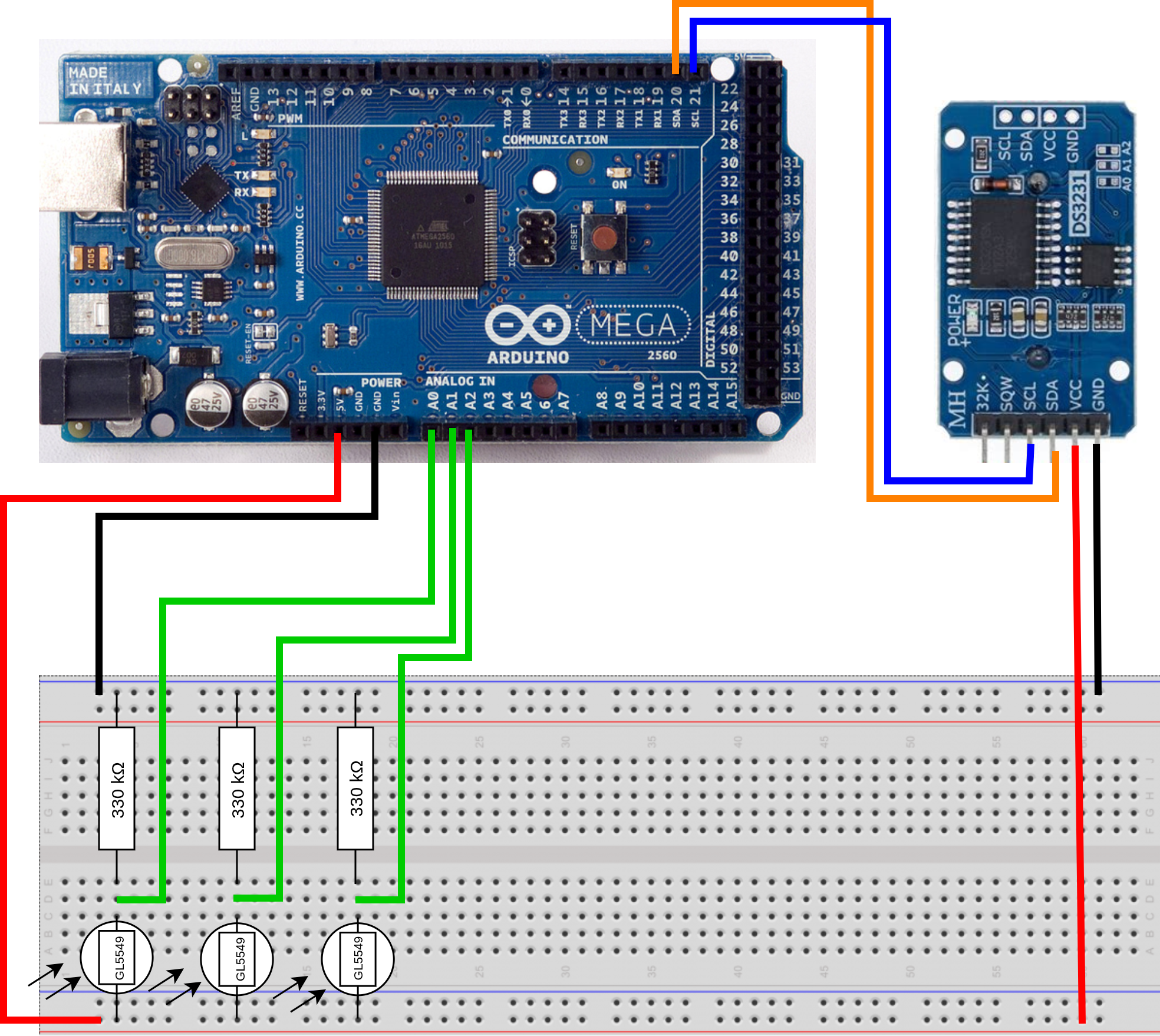
Arduino mounting
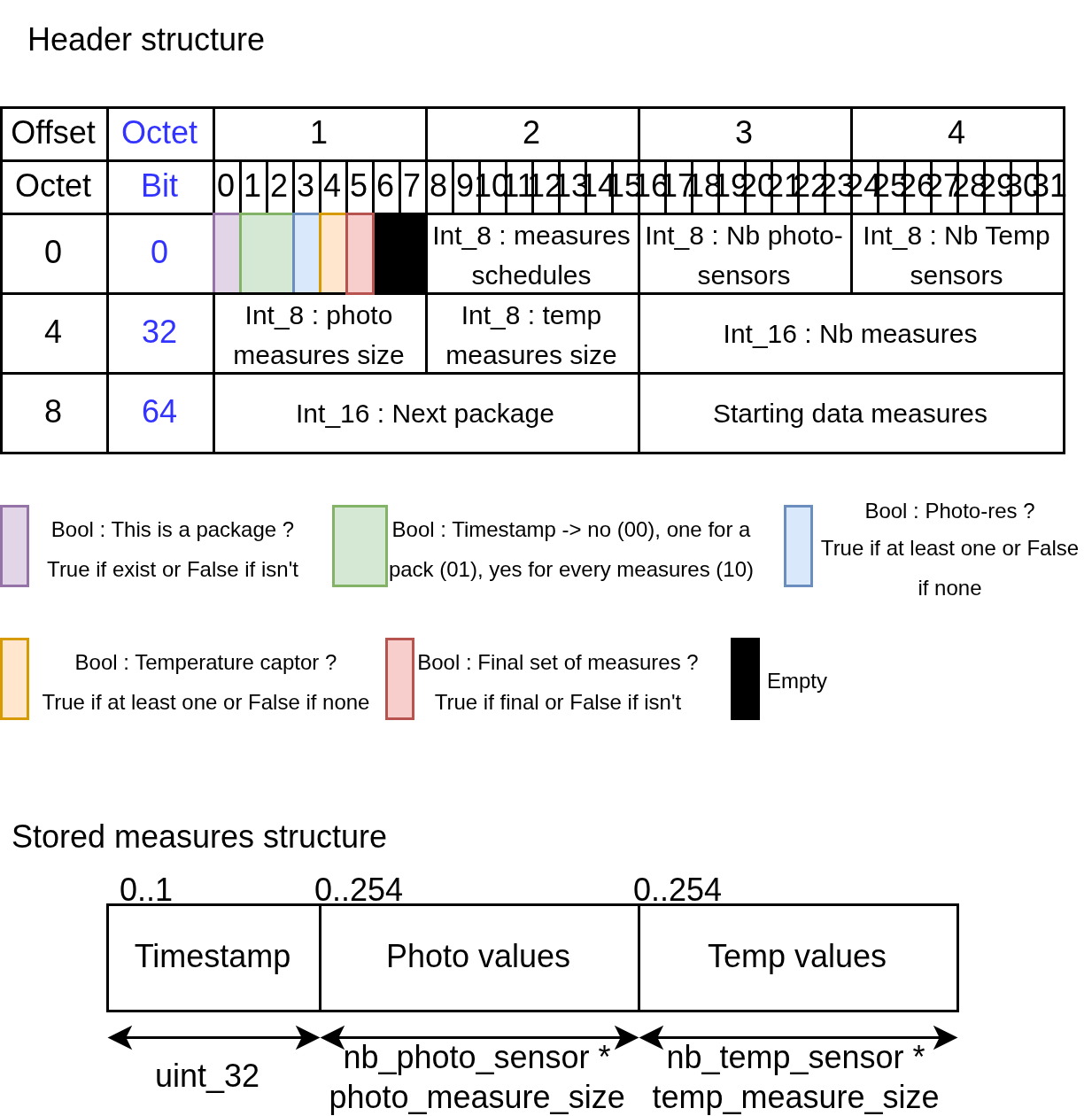
EEPROM header and data storage
The assembly collect data and write them in the EEPROM when the embedded system is deployed. To facilitate the understanding of the storage in the EEPROM see the following image.
Executable files
All executables files are in exec/ folder.
Tutorial
In first, you need to mount the arduino (image shown higher in the Readme). (Optional) You can download and create the support with a 3D printer from Link Text made by [id].
Now, you can simply download the project from this webpage.
Open VSCode with the PlatformIO extension on the project directory.
Verify that platformio has successfully opened the project.
Plug the arduino to your PC and check.
Run project tests graphically or with pio test.
Upload the project on the arduino.
Check RTC update.
Connect your arduino near of a windows and let him take action.
After some time you can bring back the measure from the arduino to your PC.
Collect data with Gather.
RTC update
Before build the project, uncoment the -D DEBUG line in platform.ini.
Once build-upload done, check the output on the serial port.
If the date is wrong, execute the update time file with python3 time.py .
The code permit a schedule change (winter or summer padding). You can change the value in the main file or simply disable it.
Gather measures
After a measure time.
Connect the arduino to your PC, execute the download file with python3 download_csv.py to create a csv from collected data.
The download action remove whole arduino memory.